Black-and-white printer test page
Let’s see how it prints.
One sheet is a good place to start.
Selected test: Black & white Other tests ↗
Use normal print quality and portrait orientation. Turn off browser headers and footers.
Opens your browser’s print dialog.
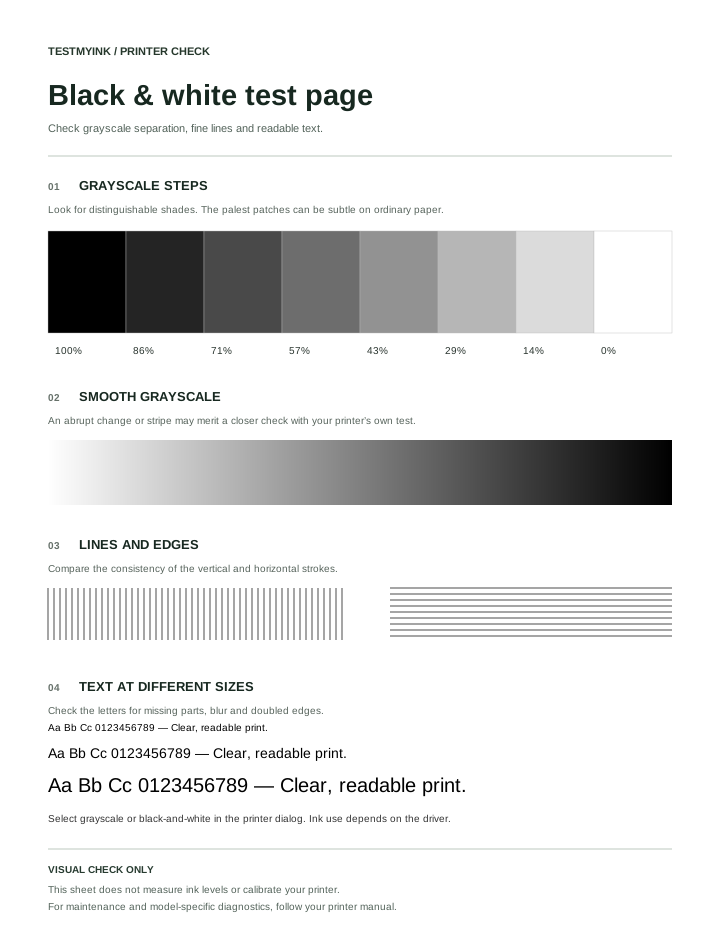
Grayscale steps, fine lines and text for a black-and-white print check.
This black-and-white printer test page combines grayscale patches, a smooth gradient, fine lines and text in several sizes. It is a useful comparison sheet when documents look faint, blurred or inconsistent.
Print settings to check
- Choose the paper size loaded in your tray.
- Open the print dialog and select grayscale or black-and-white, if available.
- Choose normal quality for the first check. Disable browser headers and footers and confirm a single-page preview.
- Print one copy and compare the dark patches, light patches, lines and text.
A grayscale document does not necessarily use only black ink. Some printers mix colour inks for certain grayscale settings. Check your printer documentation if cartridge usage matters.
Read the grayscale pattern
The eight patches move from black to white. Look for a consistent change between neighbours. Very light patches may be hard to distinguish on ordinary paper. Do not treat patch percentages as a measurement of ink density: they describe the digital pattern.
The gradient should change gradually. Visible bands deserve a second check, but they can come from the print mode or processing as well as the printer itself.
Read the text and lines
- Missing parts: note whether gaps repeat in both text and solid areas.
- Doubled edges: compare with the alignment test page.
- Faint output: check draft or economy settings, then follow the faded-print guide.
- Repeated marks: compare a built-in printer report with this browser print.
What this test cannot establish
A good result is reassuring for this particular job and setting. It does not certify every document or paper type. A poor result shows a symptom, not which part needs replacement. Keep the sheet so you can compare it after changing one setting at a time.
If no marks appear at all, use the blank-page checklist.
Use the black-and-white test for a specific question
For faint documents, compare the darkest patch with the larger text first. If both look weak, investigate the overall print settings. If the patch is dark but small letters are hard to read, compare a document with larger text before deciding that supplies are low. Tiny text and fine lines are more sensitive to scaling and the selected quality mode.
For a grayscale print test, look at neighbouring patches rather than matching paper to your display. The useful question is whether the transitions are consistent. A disappearing light patch alone is not a cartridge diagnosis. Ordinary paper and room lighting affect the light end of the scale.
Inkjet and laser printer checks
This pattern can be printed on either type when the device supports browser printing. The maintenance process is different: an inkjet nozzle check and a laser-printer quality report are not interchangeable. Use the manual for your model if another document shows the same defect. Do not select a cleaning procedure solely because the black patch has a streak.
Does a black ink test use colour cartridges?
The black-and-white pattern does not guarantee black-only cartridge use. The driver’s grayscale and paper settings determine how the job is reproduced. If reducing colour ink use is your goal, check whether your model offers a documented black-only setting.
Keep the original sheet for comparison after a settings change. For stripes through text, follow the lines and streaks checklist. For a different pattern, return to the printer test page selector.